Your step-by-step guide to getting up and running.

Your step-by-step guide to getting up and running.
Starting with a new tool can feel overwhelming but it doesn’t have to be.
We’ve broken it down into 10 simple steps to help you set up Kobbr properly and start sending professional quotes with ease.
Are you a new user?
Start simple.
Log in and take 10 focused minutes to explore the platform.
Understand where you:
You don’t need to master everything today. Just get comfortable.

Your profile defines your brand and how your customers will see you.
Add or review:
A complete profile ensures every quote looks professional and consistent.
Before sending quotes, define your pricing logic.
Set:
When pricing is structured from the start, quoting becomes faster and more consistent.

Take time to understand how products are organised.
The Kobbr library allows you to:
The more familiar you are with the library, the faster your workflow becomes.
This is where speed starts.
Build packages for the jobs you do most often.
For example:
Packages prevent you from rebuilding quotes from scratch every time.
Decide how you typically structure your jobs.
You might break work down by:

Clear structure makes quotes easier to understand and easier for customers to approve.
Choose how you want pricing presented to customers.
You can show:
This decision affects how transparent and detailed your quotes appear.
Protect your business from the beginning.
Add:
Clear expectations reduce misunderstandings later.
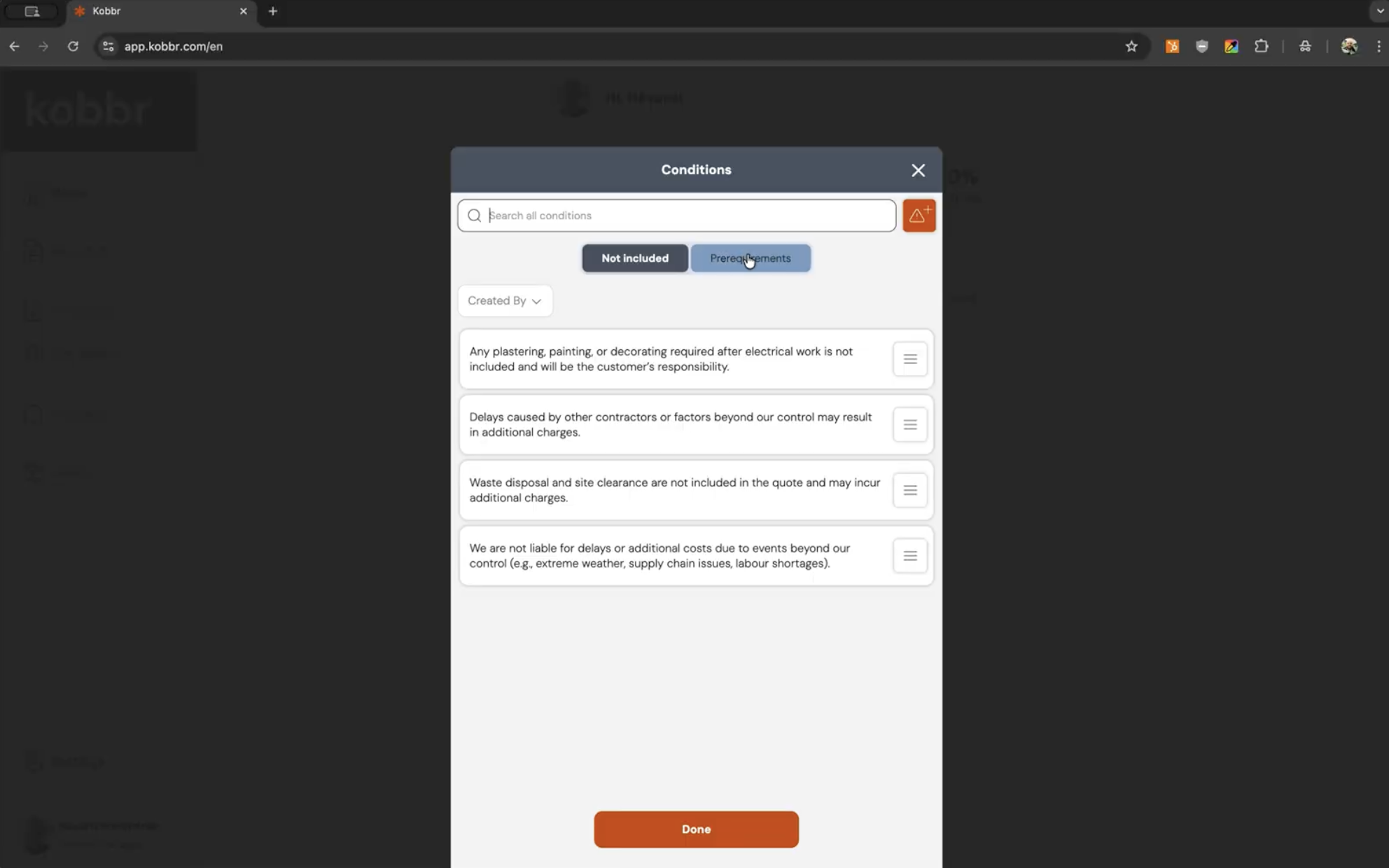
If multiple people send quotes in your company, alignment matters.
Ensure everyone uses:
Consistency builds professionalism and trust.
Don’t wait for perfection. Once your foundation is set, send one real quote. Momentum builds from action, not preparation alone.

If your setup is complete and you're ready to create and send your first structured quote, read our step-by-step guide:
👉 How to set up your quote demo
This guide walks you through the full quoting workflow from customer setup to acceptance.
Getting started with Kobbr isn’t about learning software.
It’s about building a structured system that:
Set it up properly once. Benefit from it every time you quote.

"Kobbr isn’t just how you quote it’s the system behind every job you win."
Kobbr
.png)
Hand-picked reads to help you quote faster, win more jobs, and get the most out of Kobbr.